Swords and Coins: the full player's guide
Everything you'll actually see on screen — the map, the bazaar, your retinue and dynasty, war, and the threats that come for a weak realm — written for players, not marketers.
1. What kind of game this is
Swords and Coins is a turn-based medieval strategy game that runs entirely in your browser, on a computer or a phone, with no download and no account required to start. It's part economy simulation and part 4X kingdom management: you found or inherit a principality, and every turn you weigh colonizing new land, feeding and paying your people, keeping a retinue ready, and reading what your neighbours and the encroaching dark are doing. You can play solo against AI-run principalities, or join a multiplayer lobby of up to 8 players.
Quick start: Play as guest → Tutorial chapter 1, "New Lands" → your first 10 turns (attack a neighbouring village, colonize a tile, hire a knight, upgrade a tile, press Turn — repeat).
2. Your first turns
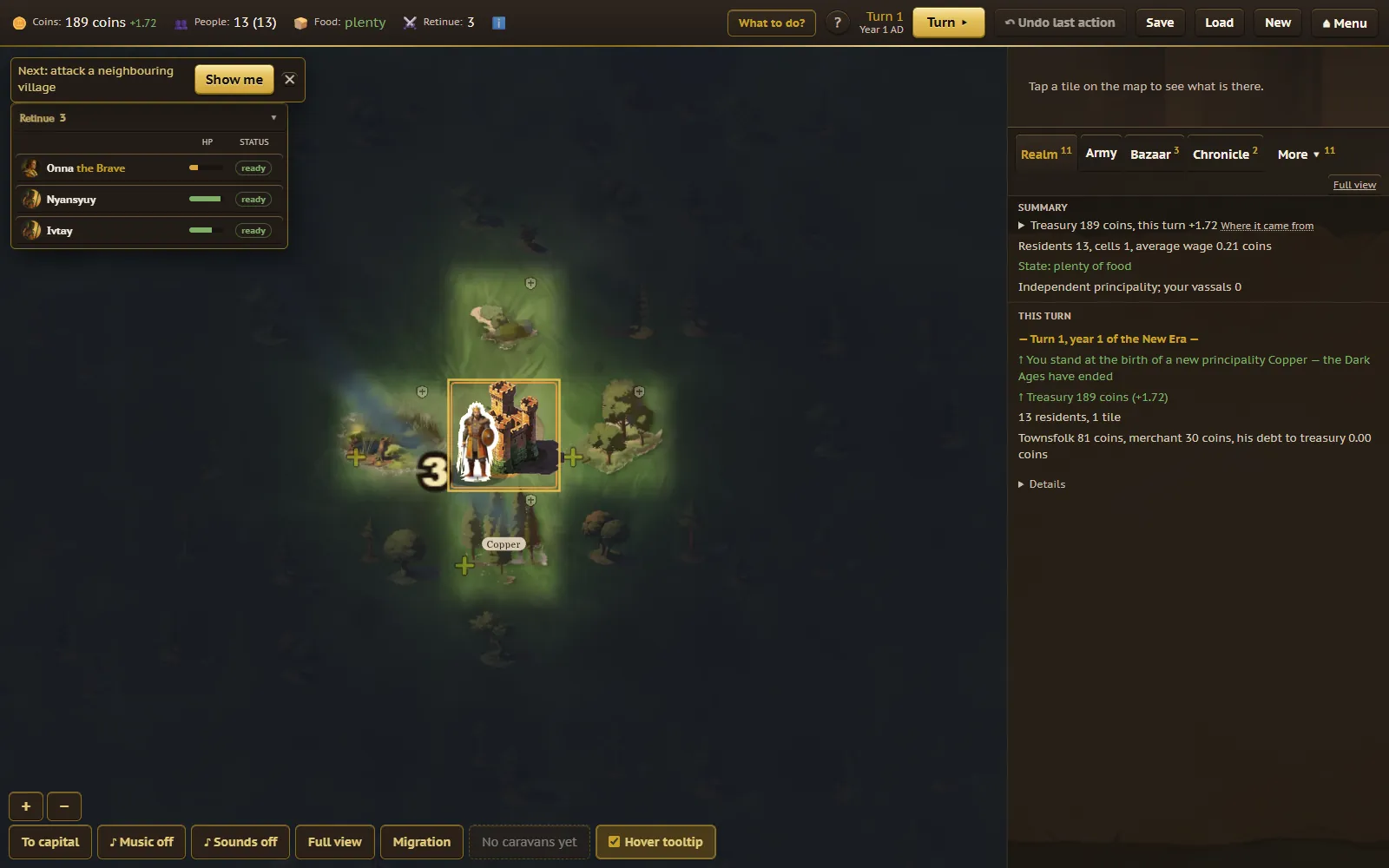
One turn is half a year of game time. You look at the map and the bazaar, make as many decisions as the turn needs, then press "Turn" in the top right corner (or hit Space) and the world answers: prices move, people are born and die, your neighbours act, and any threat you're facing presses a little closer.
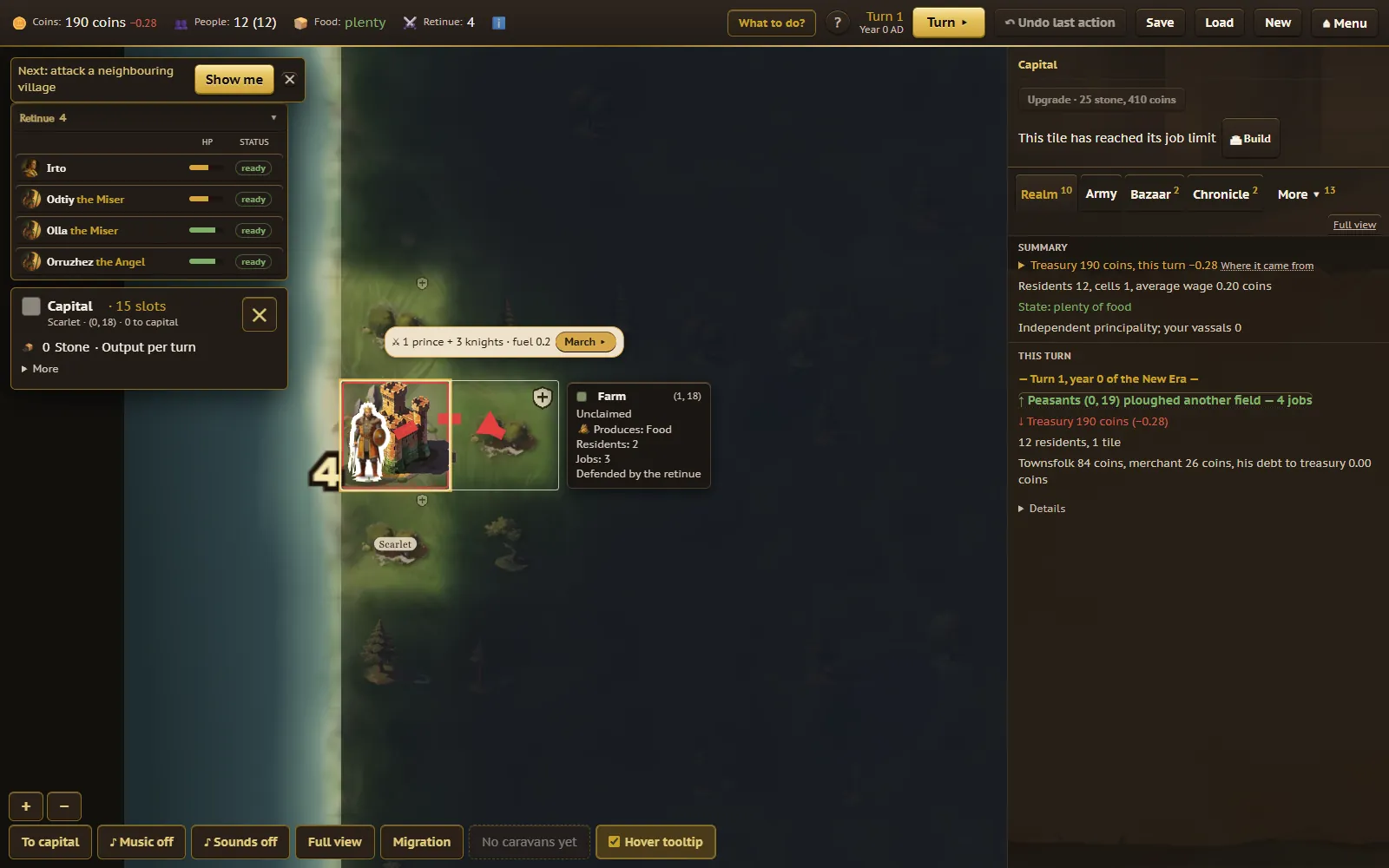
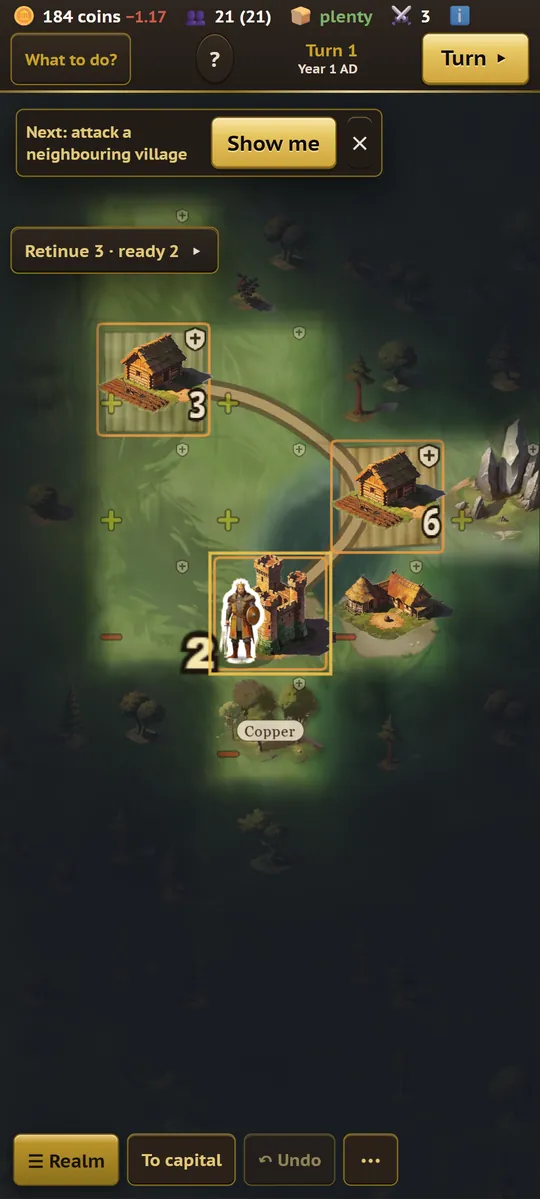
In a free game, a "Now:" strip above the map tracks you through the opening moves so you're never staring at a blank map wondering what to do: march on a nearby village, colonize a tile with a plus icon, hire a knight, then upgrade a tile. For the first step the map already shows the march arrow from your retinue to the target, and the strip's "March" button sends it in one tap; the pre-battle window opens with Autobattle preselected. Finish a step and it checks off; the next one lights up. Tap the "×" on the strip if you'd rather explore on your own.
- March on a nearby free village first: the strip picks one next to your capital. Pick fights with other principalities only once it's a fair fight.
- Colonize an empty tile touching your land to grow your borders — it costs fuel, food, gold, and one resident of your capital.
- Hire a knight from the unemployed queue on the "Army" tab (called "Hire" in the full view) to start building a retinue that can defend you.
- Upgrade a tile to add a work slot — it costs stone from the bazaar, so you'll want a quarry nearby.
- Press Turn once you've done what you can; there's no penalty for ending a turn having done very little early on.
3. The map
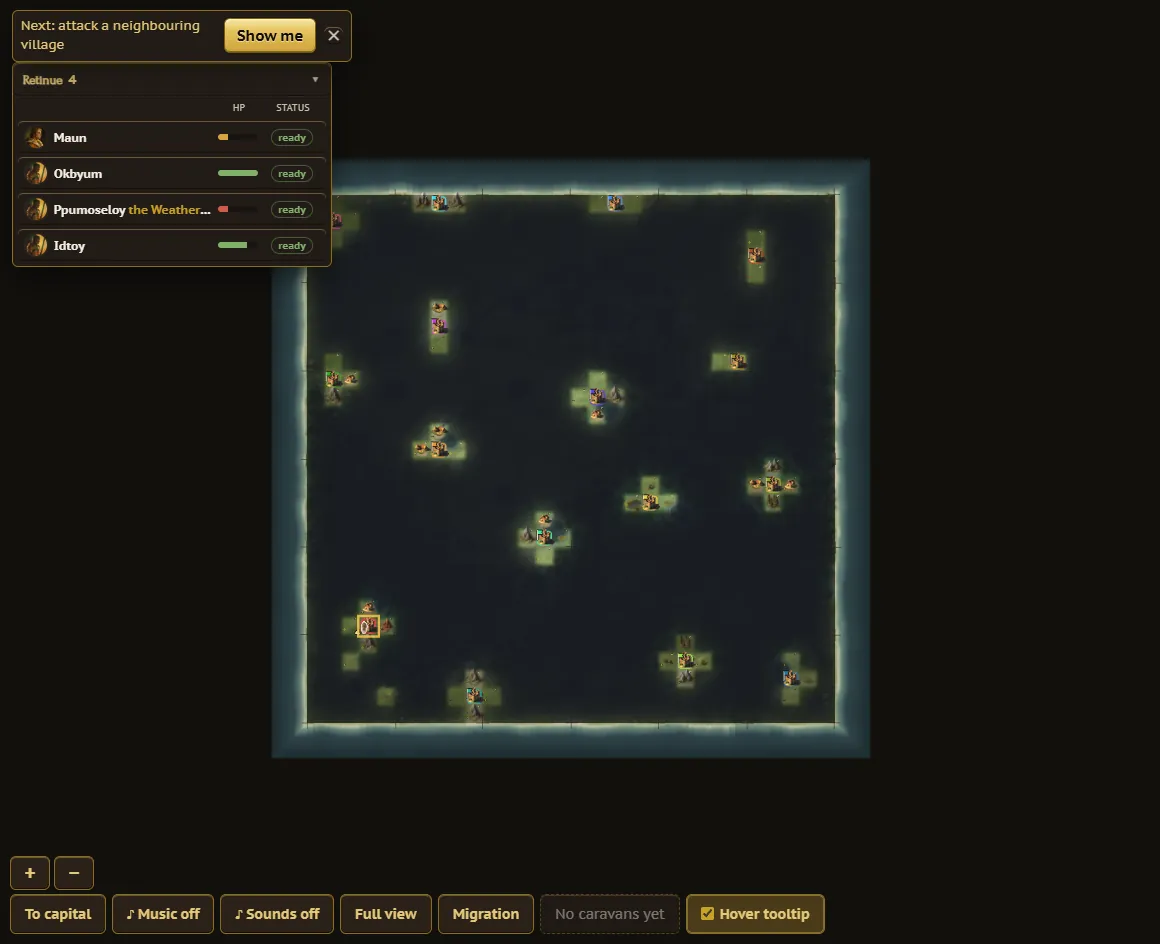
The map is a grid of tiles. Each producing tile is one of six kinds of terrain, and each makes exactly one raw good: farms make food, mines make fuel or metal, quarries make stone, gold fields make gold, and tribal camps make slaves. Open wildlands and wasteland produce nothing until they're settled or improved. Houses on a tile are its work slots — one appears from the eighth resident, two from the fourteenth, three from the twenty-second — and a shield icon means your retinue is defending it. On your own tiles the number in the corner reads staffed / work slots, for example 3/5: red when nobody works there, amber when it's short-handed.
Every tile relates to you one of four ways:
- Own — held by your principality, as free, princely, or serf land.
- Holding — a village in your sphere that hasn't recognized you yet: it isn't counted as yours and pays no poll tax, but it trades on your market. Only colonizing it earns recognition.
- Foreign — another principality's land, taken only by marching on it.
- Unowned — free for colonizing, or for a march if the undead are camped on it.
Unexplored land is covered in fog until colonists, expeditions, or scouts open it up (or the whole map is visible from the start, if that option was picked at game start). Tools above the map jump your camera to your capital, show last turn's population moves, and toggle trade routes between all caravans or just your own. Tap any tile to open its card: what it produces, how much, and red tags explaining exactly why it's making less than it could — "metal shortage −40%", "nobody to work −25%".
4. Economy: the bazaar and your storehouse
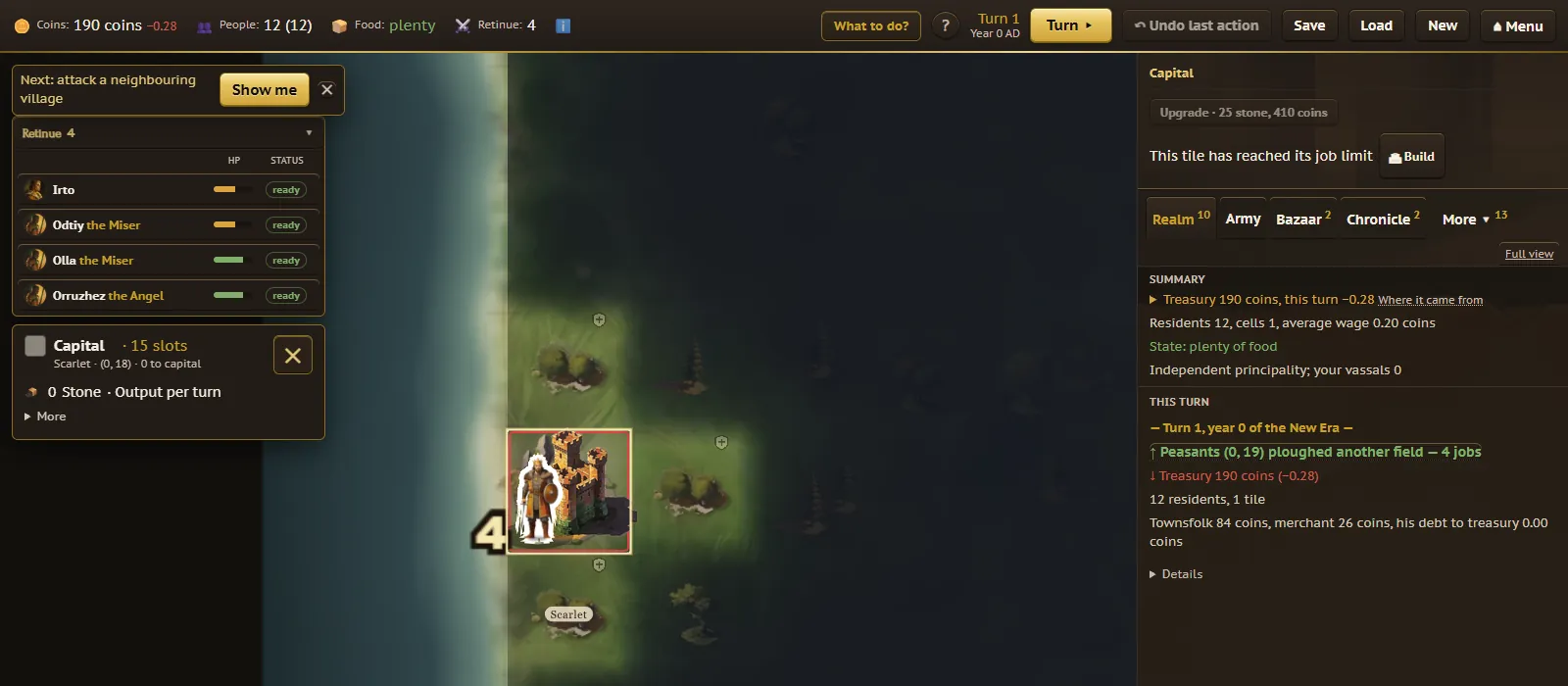
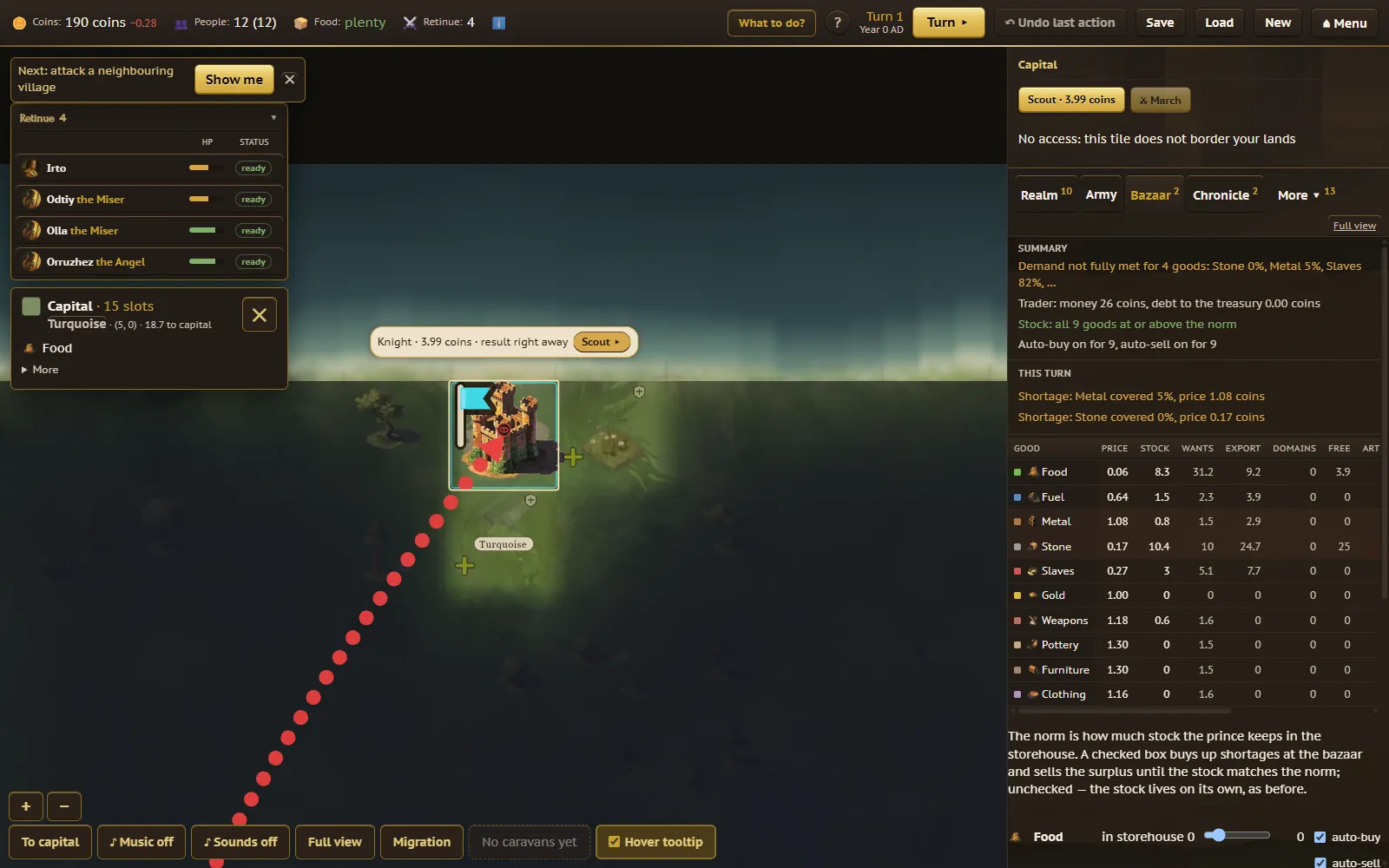
The bazaar is run by the trader, an agent with a wallet of their own, not an abstraction: they buy from producers at 0.95× the going price and sell to your townsfolk and treasury at 1.05×. Every good's row in the bazaar table shows its price, the trader's stock, how much they want to hold on the counter, an export reserve, where the good came from (your domains, free villages, or artisans), and how much of demand is actually being covered. Prices climb when a good is scarce — a chronic shortage of food or metal pushes its price up until supply catches up or you fix the cause.
Tiles almost always need raw inputs to run at full output — without metal, for instance, a workshop works worse, it doesn't stop outright. The tile card lists exactly which shortage is costing you and by how much.
Wages are paid from the treasury every turn; each fighter has their own personal pay demand, a multiplier on the base rate. A tile's own townsfolk keep its revenue and use it to buy next turn's inputs themselves — the treasury only pays for princely land and your retinue.
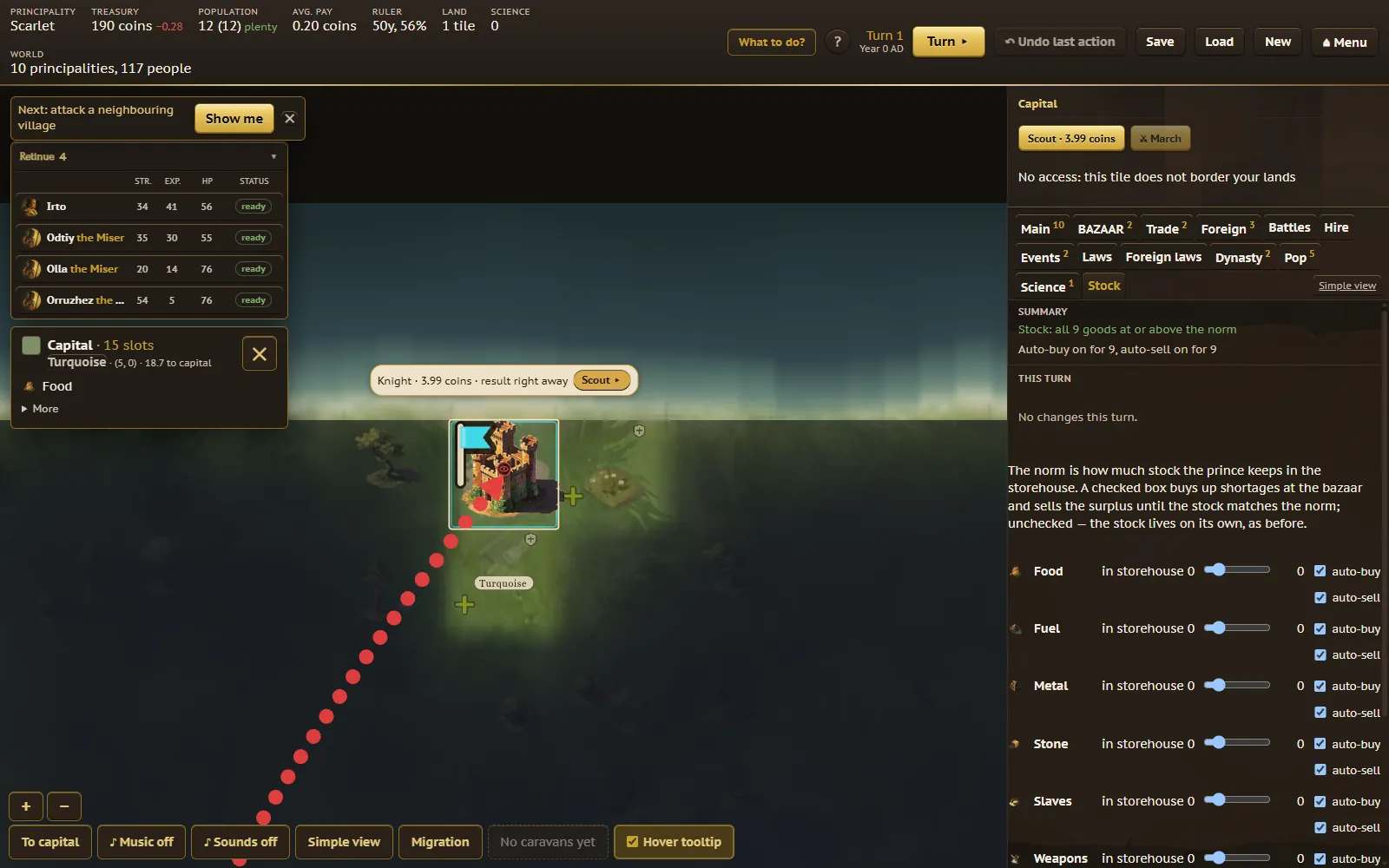
Your storehouse — the prince's own separate stockpile — has a norm you set for each good: how much to keep in reserve. Auto-buy and auto-sell are on by default, buying up shortages at the bazaar and selling off anything above the norm, so you don't have to babysit ten goods by hand. The treasury itself runs on sales tax (a share of free villages' trade and of the trader's turnover) and spends it on your retinue's wages every turn.
5. People
Residents aren't a population counter — they're individuals. Tap any tile and its "Residents" list names every one of them: nobles are marked "Sir", the wounded are flagged, health is a number, and an artisan's craft and skill level show up too. Births and deaths appear as plain report lines, "Born N" and "Died N", on the population tab, and so do migrations; plague, famine, and wounds kill people by name in the same report.
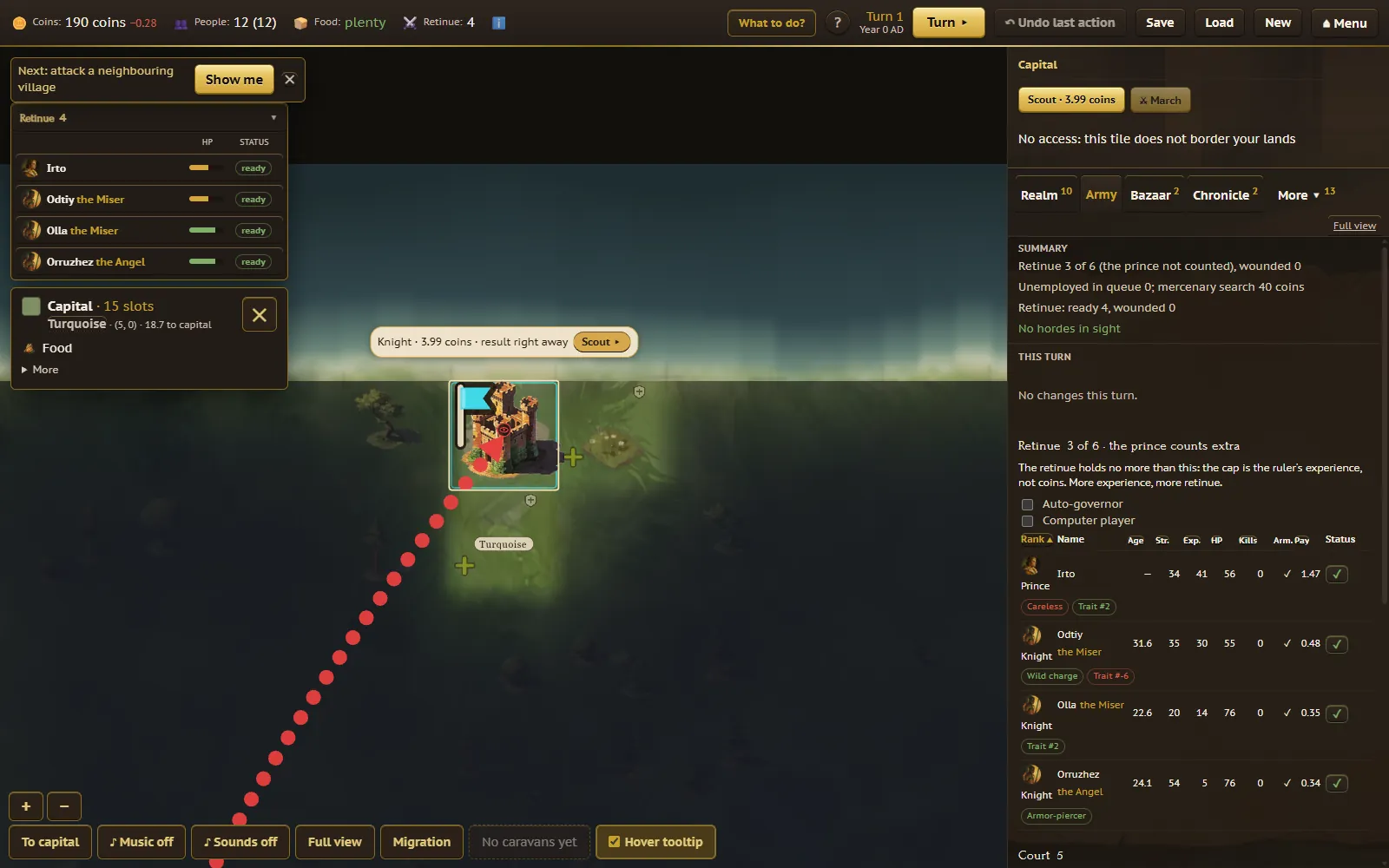
A tile can hold about twice as many residents as it has work slots. The extras join the unemployed queue on the "Army" tab — the same table format as your retinue, plus a contract price. A mercenary isn't a stranger showing up at your gate; it's one of these residents leaving their tile to join your fighters. "Search for mercenaries" pays to bring one more candidate into the queue, but you still have to hire them yourself. Some unemployed residents pick a craft on their own and become artisans, selling goods on the bazaar in small amounts — real workshops that could meet that demand fully just haven't been built there yet.
6. Your retinue and dynasty
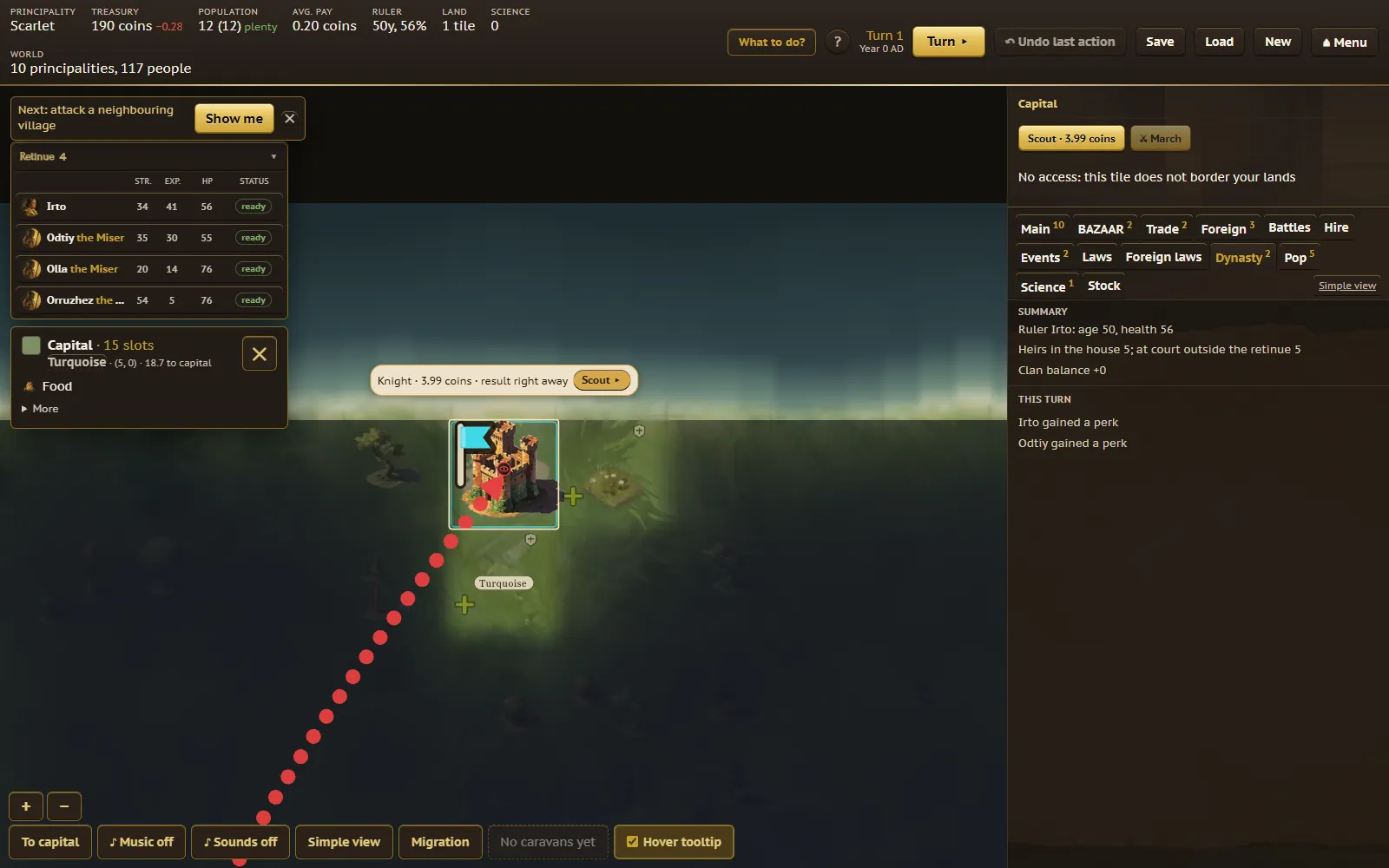
Your ruler, heirs, and knights are named people, not interchangeable pieces. The "Army" tab is one table covering the ruler and the whole retinue — rank, strength, experience, health, weapons, pay, and any perks they've picked up — sortable by column, renameable by double-click. The retinue's size cap grows with your ruler's experience, not with how much money you have.
Mercenary candidates sit below the retinue table with the same columns plus a contract price; the price drifts down if nobody hires anyone in a turn, and up for the rest once someone does hire. Under "Court" you can send the ruler into the army as an ordinary trooper for free, or pay to send the first adult heir (16 or older) into the ranks. After a battle, some fighters come back "resting" and sit out the next march, while the rest are free to go again.
Governors are knights you assign to run a tile for a bonus — this doesn't change who owns it or whether it's recognized, and an "Auto-governor" checkbox will have the game assign them for you every turn. A vassal principality is carved out with "Create vassal" on your own tile, seating a knight there as its prince, or one appears automatically if you choose not to raze a captured enemy capital. Vassals send tribute by caravan — which can be lost en route — and can go independent again on their own, or if their liege falls. If your ruler dies, the succession picks an heir automatically; you don't have to manage a line of succession by hand.
7. Expanding: colonizing, upgrades, buildings
Colonize claims an empty tile next to your land, spending fuel, food, gold, and one resident from your capital. The more densely a tile is already populated, the lower your odds of it accepting you on the first attempt — you can simply try again. An expedition sends a capital resident on foot to reveal the fog far away, returning if they survive; it only works beyond your borders and needs more than one resident at home, over 5 food, fuel for the road, and enough treasury for the trip. Recon does the same job instantly using a knight from your retinue instead — you pick who goes, the result resolves immediately, and only the treasury pays.
Upgrading a tile adds a work slot for 25 stone plus wages for the workers — the gain is random, sometimes one slot, sometimes several, and every tile has its own ceiling and land quality. Buildings go further: fifteen possible structures per tile, their materials and cost worked out by the server at market prices. Adding money to a building's budget speeds it up, and an unfinished building already works some of the time, roughly in proportion to how far along it is. A few worth knowing:
- Monastery — generates science points every turn as long as your principality has enough people, at the cost of one resident becoming a monk.
- Trading Port, Craft Academy, and Legendary Smith — boost fuel, random goods, and metal respectively.
- Crematorium and Refugee Camp — reduce corpses left behind by battles and the undead, and help resettle people from tiles under threat.
- Inquisition Center — produces inquisitors, residents who go fight the undead alone.
- Mercenary Camp, Temple of Love, Temple of Fertility, Slave Market, Ruins of the City of Gods, Fountain of Youth, War Academy, and Gladiator Arena round out the list, each with its own upkeep and payoff.
8. War
A march sends your entire ready retinue at once onto a tile — foreign, unowned, or held by the undead — as long as that tile actually borders your land, including holdings that haven't recognized you yet. You can't march on your own vassal or liege, and you don't hand-pick who goes, only who to exclude beforehand. The button shows the fuel cost up front, and armies launched over a greater distance arrive weaker than ones fighting right next door.
The battle screen shows the fight from the side: your fighters in a line on the left, the enemy on the right, and the reserve standing behind each line, stepping in when someone falls. Before the first strike you choose how to fight; Autobattle is preselected — the battle plays itself out on screen by the standard rules — and you can switch to Manual battle instead, stepping through strike by strike, each with its own roll ("power X vs Y — hit or deflected"), or skip straight to the end whenever you've seen enough. Cancel before the first strike and your fuel and fighters come back exactly as they were.
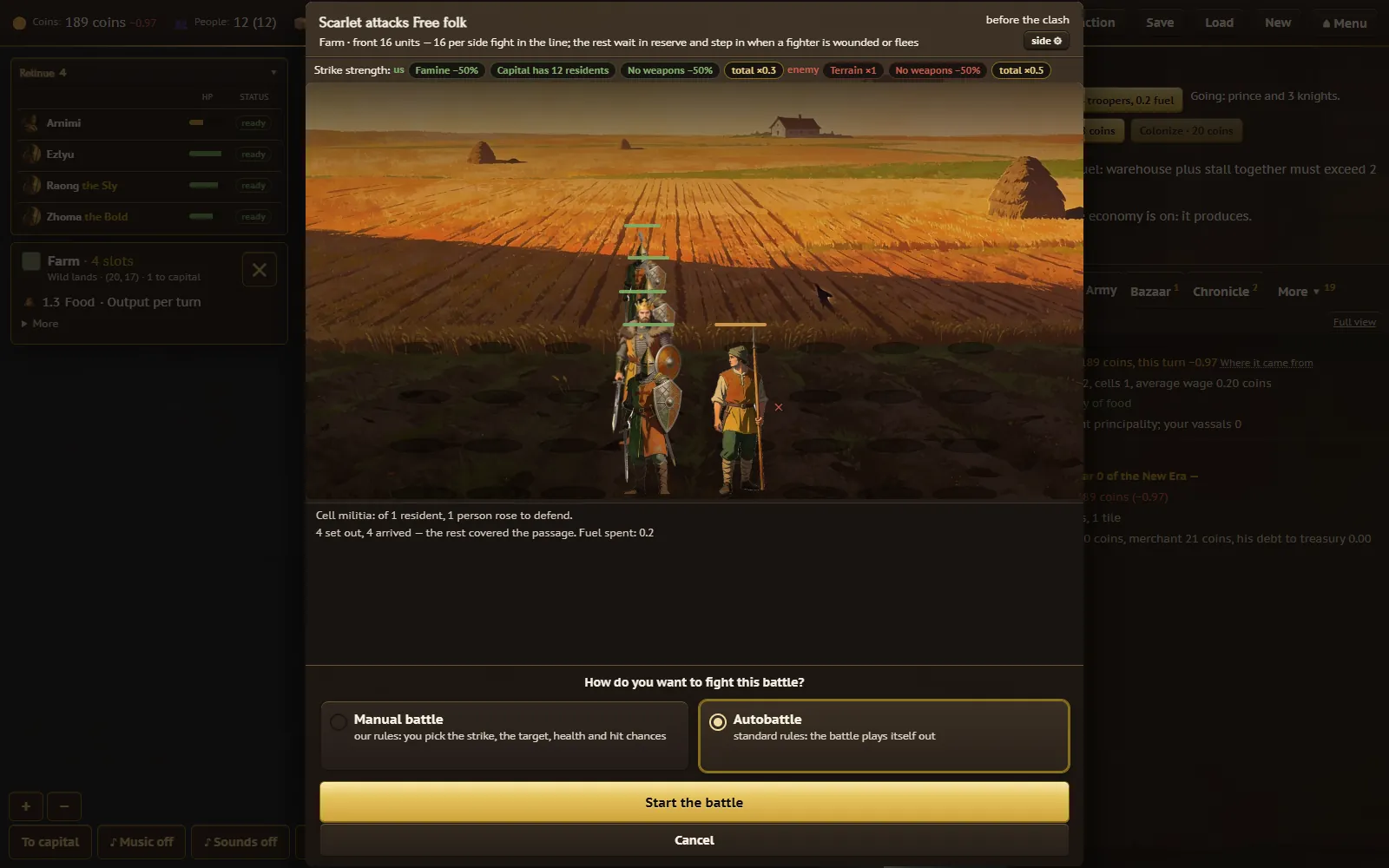
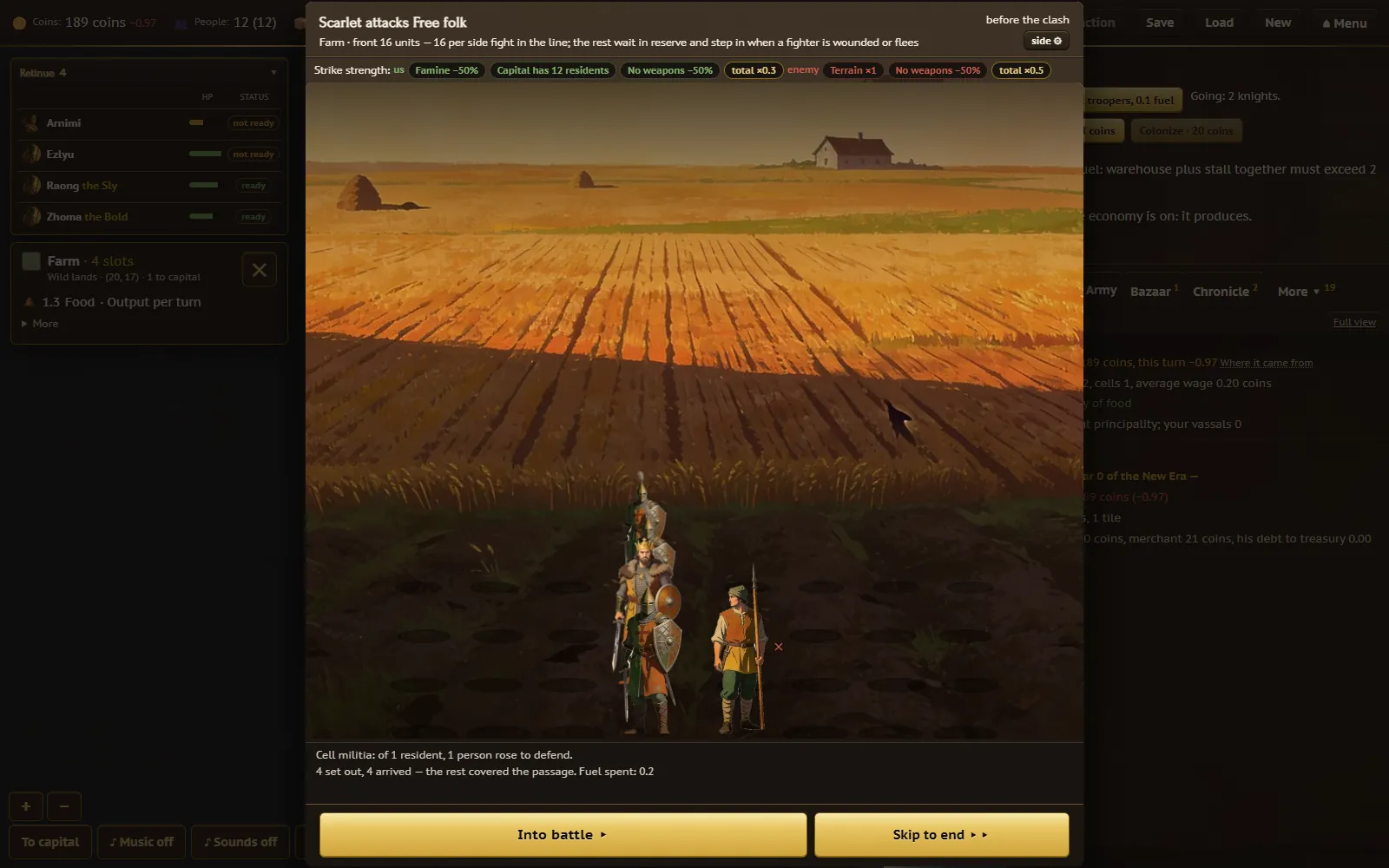
Win, and some of your prisoners are handed to your judgment — ransom, release, enslave, or execute (the poor and the undead are never worth a ransom). Capture an enemy capital and you choose whether to raze the city or turn it into a vassal, keeping its army and workshops and gaining a share of its accumulated science. A "Defend" toggle on each tile decides whether your retinue holds it if attacked, and fighters coming off a battle need to rest before marching again.
9. Threats
Your status bar can flag plague (which heals and quarantines itself in time), an active quarantine, drought at a given severity, or an economic boom — all logged as lines on the events tab. Periodically a red moon rises and raises every grave on the map into a fresh undead horde. Far more rarely, Pale Walkers arrive together with the King of Night: from that point on, hordes spawn at the map's edges and have to be fought with the same march action you'd use against a neighbour. Killing the King of Night wipes out every undead unit in the world in one stroke.
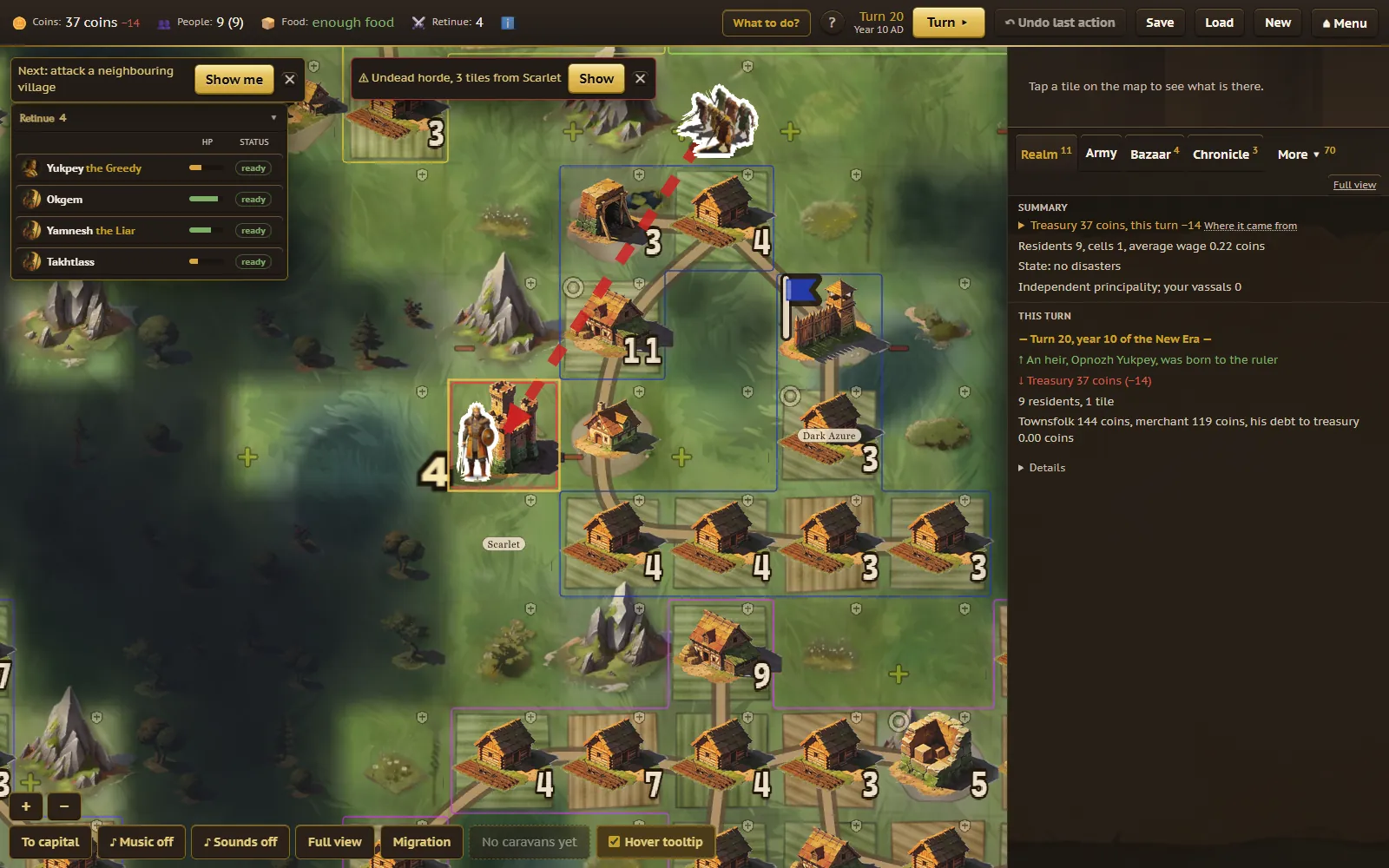
When a horde or the Night King comes within four tiles of your land, a red banner appears over the map — for example "Undead horde, 3 tiles from Copper" — with a Show button that brings the camera to it, and a red dashed arrow runs from the horde to your nearest tile. The turn summary also mentions a horde that has just come into range, so an attack is rarely a surprise. If your capital does fall, a solo game reassigns you to a different principality and you keep playing; in a game with other people, your principality is simply eliminated. Losing a struggling realm to the dark late in a long game is the intended shape of the game, not a bug to be fixed.
10. Neighbours and kingdoms
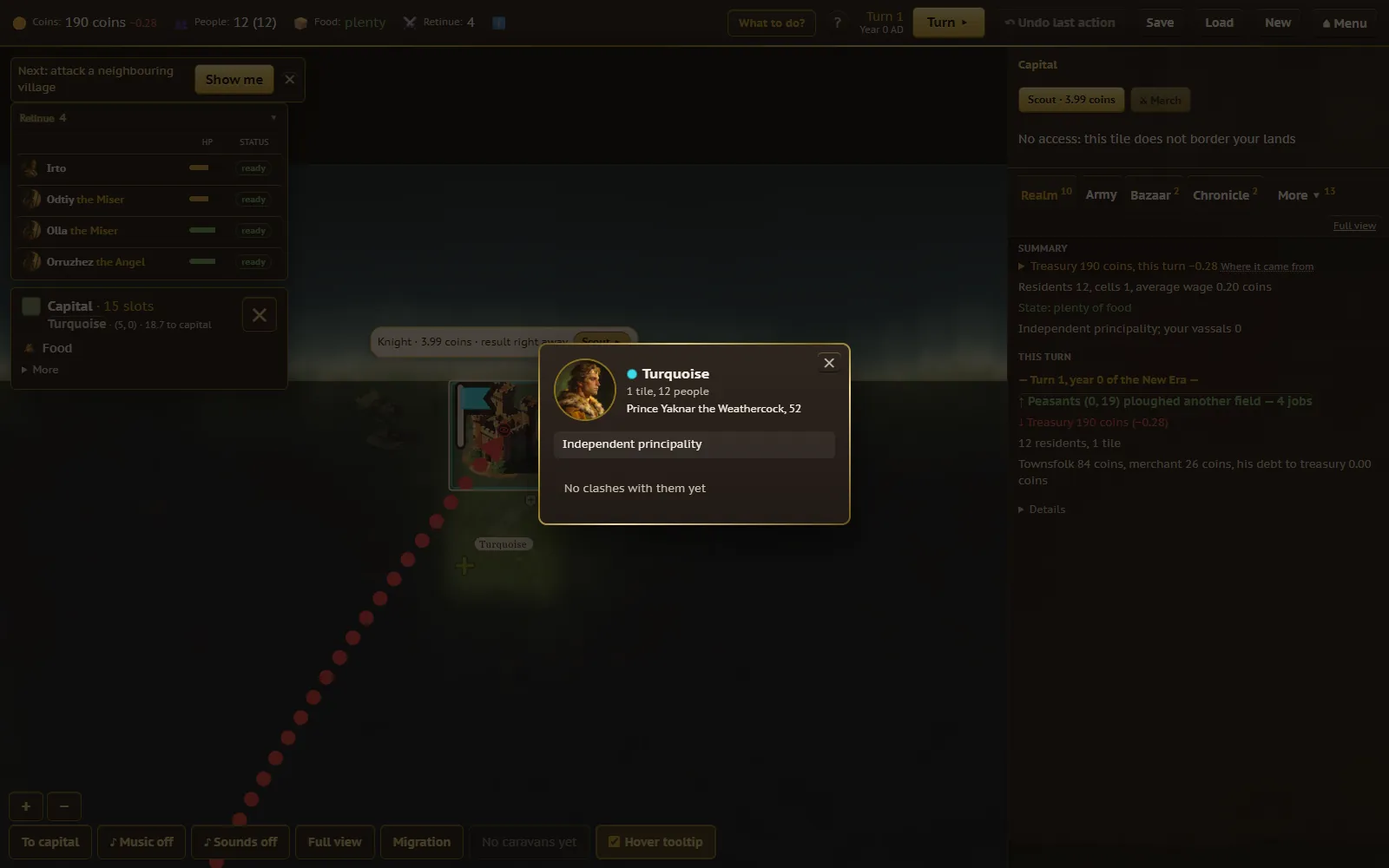
Every neighbouring principality is run by an AI ruler with a name, an age, and a nickname, not a faceless number. Click a foreign capital, or a principality on the "Foreign" tab, to open its card: the ruler's portrait and name, how the principality relates to you (a vassal, a liege, or simply a neighbour), and a short recent history of your dealings with them. Their private character stays hidden, the same way it would for a real rival — you learn what they do, not what they're thinking.
Long isolation from your neighbours brands your principality an "Outcast", visible right on the status bar; an envoy dialog offers to lift it by sending an envoy, sending gifts, or stealing a technology instead. Grow strong enough — enough military power alongside profitable workshops — and your principality becomes eligible to be raised to a kingdom, with progress toward it tracked for you.
11. Laws, the sejm, clans, and science
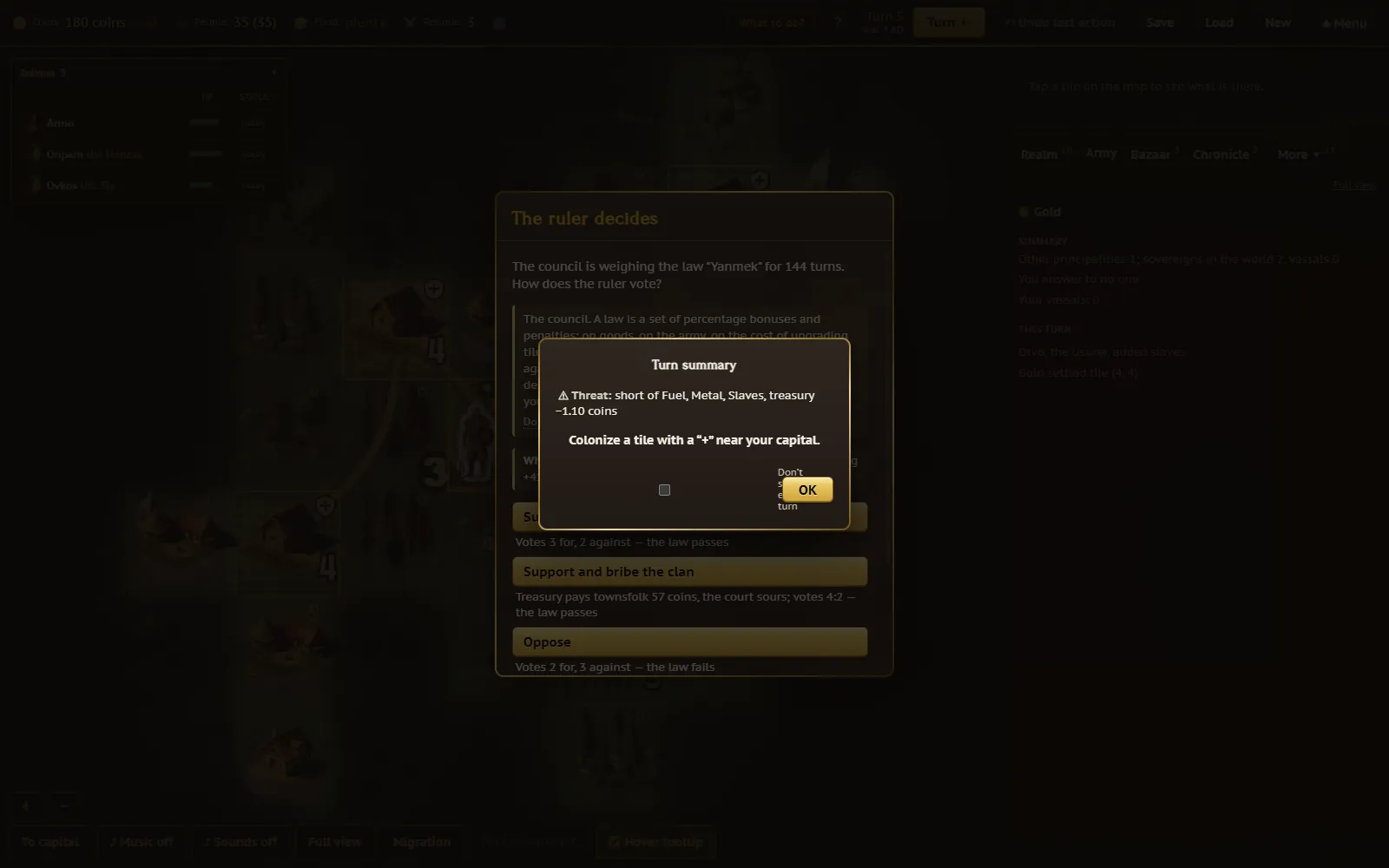
You don't write laws yourself — a council called the sejm passes them on its own, roughly once in a while, and your say is in how you respond: a dialog mid-turn asks you to support or oppose what's on the table (optionally bribing a clan for extra weight), lets you veto a law that passed over your objection, or push through one that narrowly failed. Knights and clans take part the same way, offering to extend or shorten a law's term for money or a gift; the current balance of clan support shows up in your ruler's tooltip. The "Laws" tab lists what's currently in force, its effect on your army or on tile-upgrade cost, and how many turns it has left.
Science works on the same "you don't pick it yourself" principle: the council rolls a new discovery once a turn, the same way it does for your neighbours, across branches up to twenty levels deep. Your part is a mid-turn choice about how to approach it — risk it, spend more generously for a better shot, save your resources, or postpone the whole thing — each option with a different chance of paying off, and your current era and points always visible on the "Science" tab.
12. Reading the interface
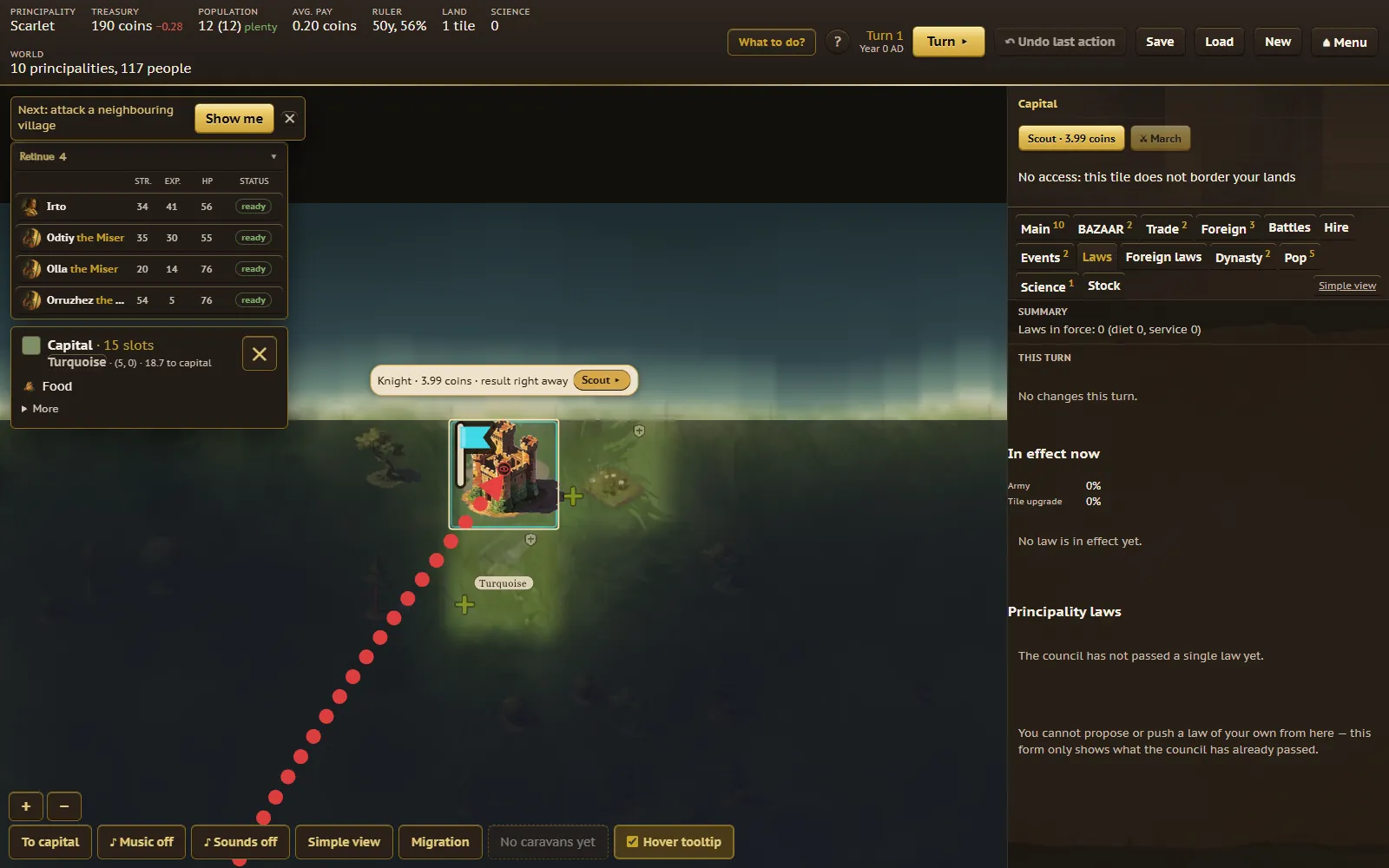
New games open in Simple view: four numbers up top (coins, people, food status, retinue size) and four tabs — Realm (your summary), Army (hiring and battles), Bazaar, and Chronicle (events) — with everything else tucked behind a "More" button and surfacing on its own the first time you actually need it (your first law, your first scientific discovery, your first court dilemma). Switch to Full view any time for the complete set of thirteen tabs and the raw numbers behind every figure.
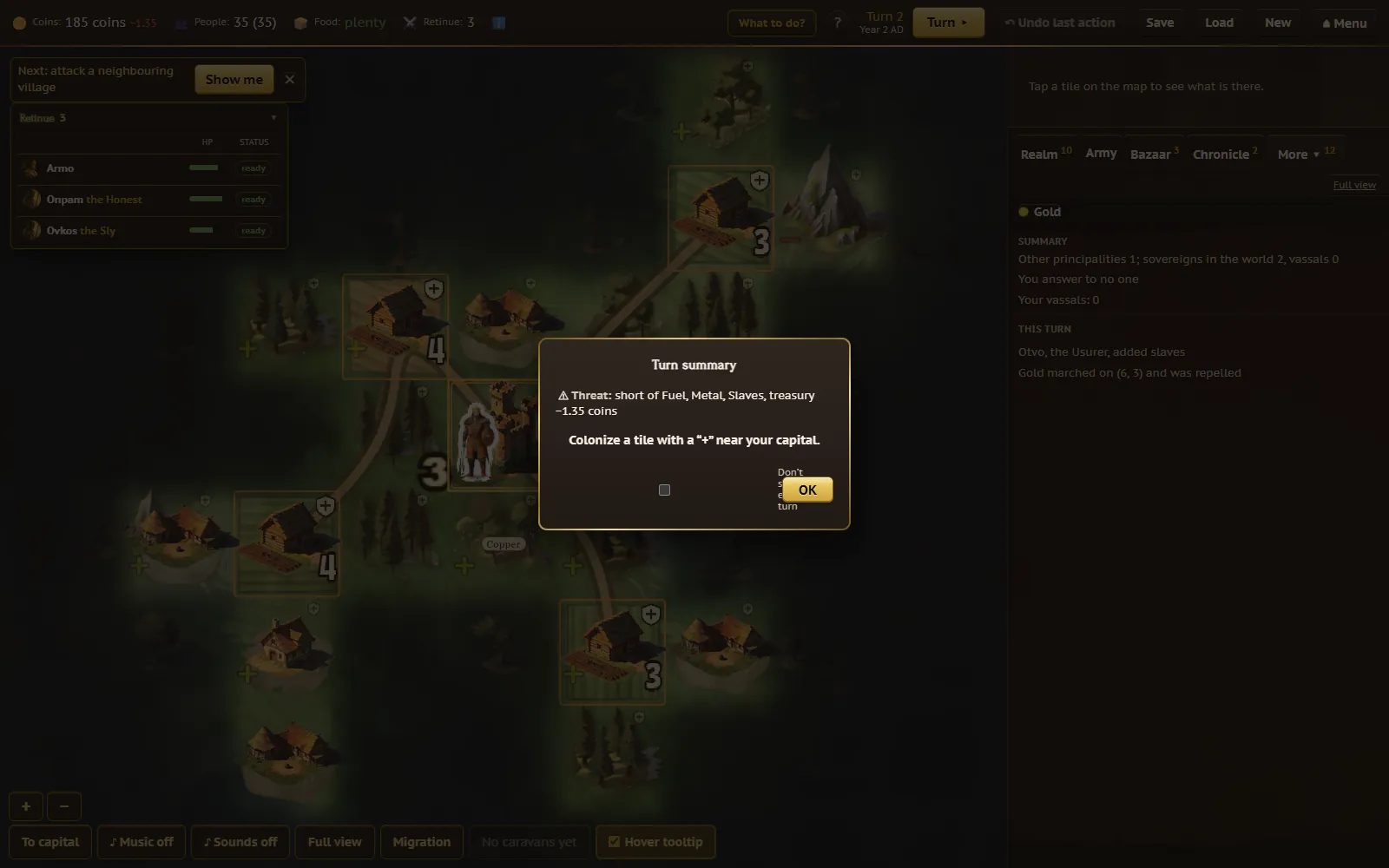
End a turn and a short summary card appears: what grew, what you received, and the single biggest new risk, plus one suggestion for what to do next — tap it away and get back to the map. Whenever the game needs a call only you can make — a court request, a knight who's seized a workshop, adopting a new technology, a captured city's fate, a sejm vote — a dialog interrupts the turn, and every option shows its consequence in a line underneath so you're never choosing blind. A "Let the advisor decide" button is always sitting right there if you'd rather not weigh in; it picks the same way the AI rulers do, and it's also what fires automatically if a timed game's clock runs out before you answer.
"Undo last action" reverts your last move within the current turn — greyed out at the very start of a turn, and unavailable at all in a shared multiplayer game — though the turn itself can't be rolled back once you've pressed "Turn". On a phone, everything that lives in the side panel on desktop sits behind one gold "Realm" button at the bottom of the screen instead, opening as a sheet you can dismiss with a swipe or a tap.
13. Tutorial campaign: the Prince's Path
Each chapter teaches exactly one decision, runs 15 to 40 turns, and takes 10 to 25 minutes; lose one and you retry from the same starting save rather than the beginning of the whole campaign.
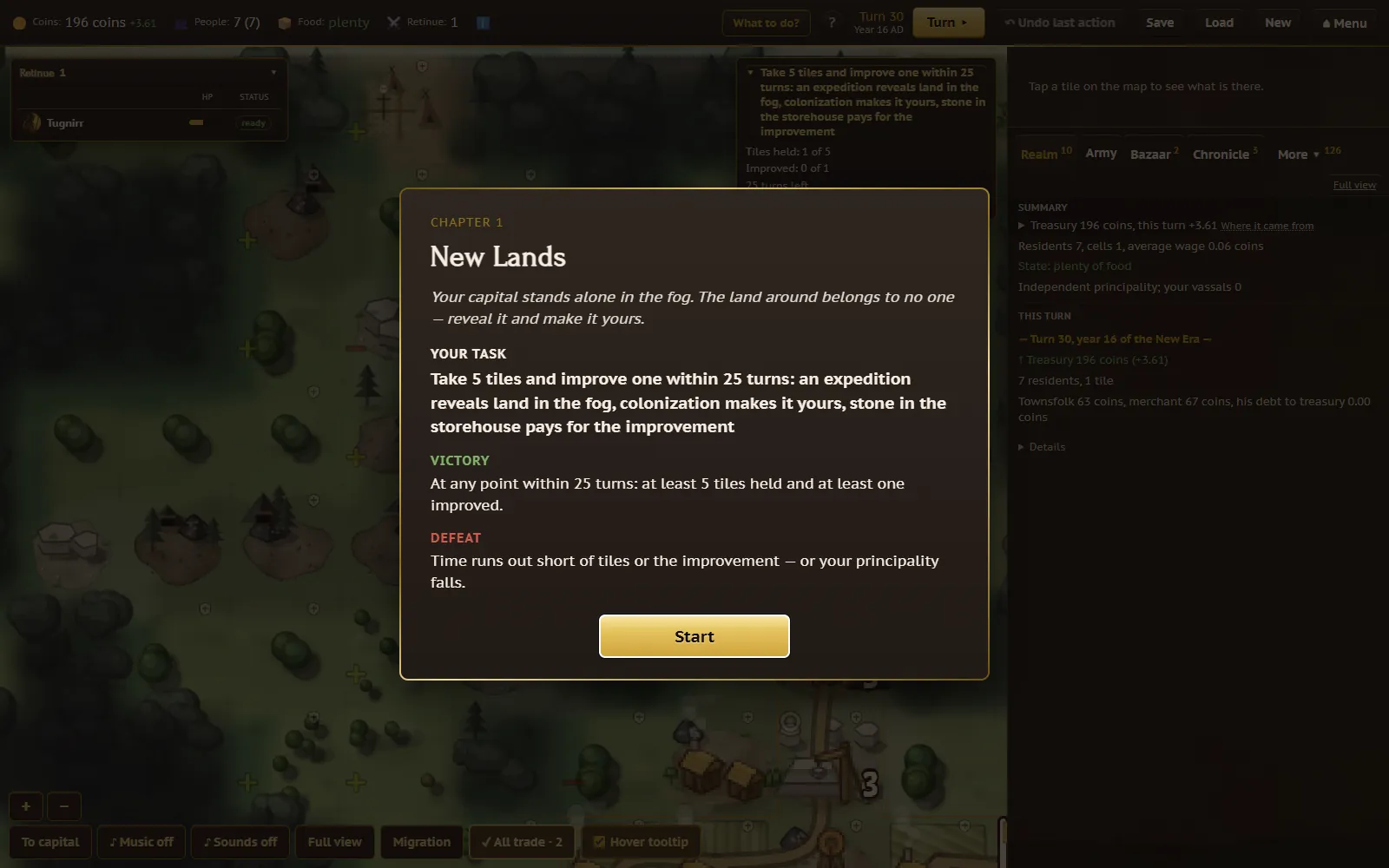
- New Lands (free) — expeditions, colonizing, and paying for a tile upgrade in stone.
- Bread and Bazaar (free) — how tiles feed the bazaar, the bazaar feeds the city, and prices rise from shortage.
- Governor and Court (free) — assigning a governor and what their bonus is worth.
- Red Moon (purchase) — hiring mercenaries and keeping a weapon reserve stocked while a horde closes in.
- The March (purchase) — why a march target has to border your land, arming up beforehand, and prisoners' fates.
- Monastery and Science (purchase) — construction paid in stages from the budget, and how the monastery generates science.
- The Crown (purchase) — raising a principality to a kingdom, and managing a vassal's tribute.
14. Multiplayer and saves
Play solo against AI-run principalities, or join a lobby of up to 8 players, each ruling their own realm. Joining a lobby someone else hosts is free; hosting your own is a Full version feature — you pay once, and everyone you invite plays for free. Some games run on a long turn timer for play-by-mail-style matches with friends in different time zones; you can opt in to an email letting you know it's your turn, and toggle that off in account settings any time.
"Save" and "Load" only exist for games tied to an account — a guest game can be moved into one with "Save to account". There's a limited number of save slots, with the oldest replaced as new ones are made; loading asks you to confirm first, since it discards whatever progress isn't saved. The free tier gets one save on a small map; the Full version adds several save slots and medium and large maps.
15. Free vs. Full version
Swords and Coins is free to play, with one optional one-time purchase — no subscription, and nothing paid opens a door mid-partway through your one free game.
| Feature | Free | Full version — $15 one-time |
|---|---|---|
| Guest play, no registration | ✓ | ✓ |
| Save slots | One, on a small map | Several at once |
| Map size | Small | Small, medium, or large |
| Full game, start to finish | ✓ (one at a time) | ✓ |
| Join multiplayer lobbies | ✓ (hosted by others) | ✓ |
| Host your own multiplayer lobby | — | ✓ (invited players play free) |
| Balance-tuning window | — | ✓ |
| Tutorial campaign | Chapters 1–3 | Chapters 1–7 |
16. FAQ
Is Swords and Coins free?
Yes. Guest play, one full game start to finish on a small map, and tutorial chapters 1–3 cost nothing, with no ads and no mid-game cut-off. A one-time $15 Full version adds more saves, bigger maps, and hosting your own multiplayer lobbies — entirely optional.
Does it work on phone?
Yes, the whole game — map, bazaar, retinue, and battles — works on a phone screen, with the side panels moved behind a single button at the bottom of the map.
How do I win?
There's no forced finish line. You grow your principality by colonizing and upgrading land, keep it fed, paid, and defended, and can push as far as raising it to a kingdom. The game ends for you if your capital falls with no one left to reassign you to — everything before that is your own story to build.
How do battles work?
Marching your ready retinue onto a bordering tile starts a battle with your line facing the enemy's. Autobattle (the default) resolves it in one pass and explains the outcome; Manual battle lets you watch or direct it strike by strike, with a roll behind every hit.
What happens when I press Turn?
Half a game-year passes: prices shift, wages and taxes are paid, people are born and die, your neighbours take their own actions, and any threat closing in on you moves closer. A short summary card tells you what mattered most.
Can I play with friends?
Yes, up to 8 players in one match. Joining a lobby someone else hosts is free; hosting your own multiplayer game is a Full version feature.
Do I need to download or install anything?
No. Swords and Coins runs entirely in your browser on desktop or phone — click "Play free" and you're straight into the game.
What happens if my capital falls?
In a solo game you're reassigned to another principality and keep playing; in a game with other people, your principality is eliminated. Losing to the undead late in a long game is by design, not a bug.
Is there a tutorial?
Yes — a seven-chapter campaign, the Prince's Path, each chapter teaching one decision in 10–25 minutes. The first three chapters are free, and you can retry any chapter from the same starting save if you lose.
Ready to try it yourself? Play Swords and Coins free, or head back to the home page for the short version.